Register Your App
Every YeboID integration starts with an OAuth app. Registering one gives you the client_id (and, for confidential clients, the client_secret) that the authorization-code + PKCE flow needs.
Registration is self-service — sign in with your own YeboID and create the app yourself. Development setup and production verification are separate steps; check current release status before relying on the verification gate.
Register in the developer portal
- Sign in at yeboid.com with your phone number.
- Open the developer portal at yeboid.com/developer/apps.
- Click Create App and fill in the form.
- Copy the credentials shown on success.
What the form asks for
| Field | Required | Notes |
|---|---|---|
| Name | Yes | 2–100 characters. Shown to users on the consent screen. |
| Slug | Yes | 2–50 characters, lowercase letters, numbers and hyphens only. Must be globally unique. |
| Redirect URIs | Yes | At least one absolute URL. Matched exactly at authorize time. |
| Scopes | No | Defaults to openid profile offline_access. See available scopes. |
| Logo URL | No | Absolute URL, shown on the consent screen. |
| Website URL | No | Absolute URL. |
| Privacy policy URL | No | Absolute URL. |
Redirect URIs are matched exactly
https://app.example.com/callback and https://app.example.com/callback/ are different URIs. Register every environment you will actually use — production, staging, and your local dev URL — or authorize will reject the request. Mobile apps register their custom scheme, e.g. yourapp://auth.
Request the smallest useful permission set
Use openid profile offline_access for basic sign-in. Add phone, email, KYC, or business permissions only when your integration requires them. The picker matches the API's supported scopes; wallet permissions are not supported. See permissions.
What you get back
{
  "success": true,
  "app": { "id": "...", "name": "My App", "slug": "my-app" },
  "credentials": {
    "clientId": "yebo_1a2b3c...",
    "clientSecret": "yebo_secret_9f8e..."
  },
  "warning": "Store the client_secret securely. It will not be shown again."
}
The client secret is shown once
YeboID stores only a hash of it. If you lose it, you cannot read it back — you must rotate it (POST /apps/:id/rotate-secret), which invalidates the old one.
Do you even need the secret?
| Client type | Uses the secret? |
|---|---|
| Browser SPA, mobile, desktop | No. These are public clients — PKCE alone authenticates the token request. Never ship a secret in code a user can read. |
| Server-side web app, backend service | Yes. Send it in the server-side token request body (client_secret_post). |
The discovery document advertises none in token_endpoint_auth_methods_supported precisely so public clients can complete the flow without one.
Register via the API
The portal is a client of the same endpoint discovery advertises as registration_endpoint. You can call it directly with a user access token — it registers the app to the signed-in YeboID user, exactly as the portal does.
curl -X POST https://api.yeboid.com/apps \
  -H "Authorization: Bearer USER_ACCESS_TOKEN" \
  -H "Content-Type: application/json" \
  -d '{
    "name": "My App",
    "slug": "my-app",
    "redirectUris": ["https://app.example.com/callback"],
    "scopes": ["openid", "profile", "phone"]
  }'
Returns 201 with the payload above.
Errors:
| Status | Meaning |
|---|---|
| 400 | Validation failed, or Invalid scopes (the response lists invalidScopes and availableScopes) |
| 401 | Missing or invalid access token |
| 409 | An app with this slug already exists |
See the OAuth & OIDC reference for the full app management surface — listing, updating, rotating the secret, and application credentials. There is no supported app API-key authentication flow.
Next steps
- OAuth2 + PKCE walkthrough — the flow end to end
- Choose your platform — web, Node, Flutter, Swift, Kotlin, React Native or Python
- Webhooks — get notified when a user's profile or KYC changes
Need help?
Developer console preview
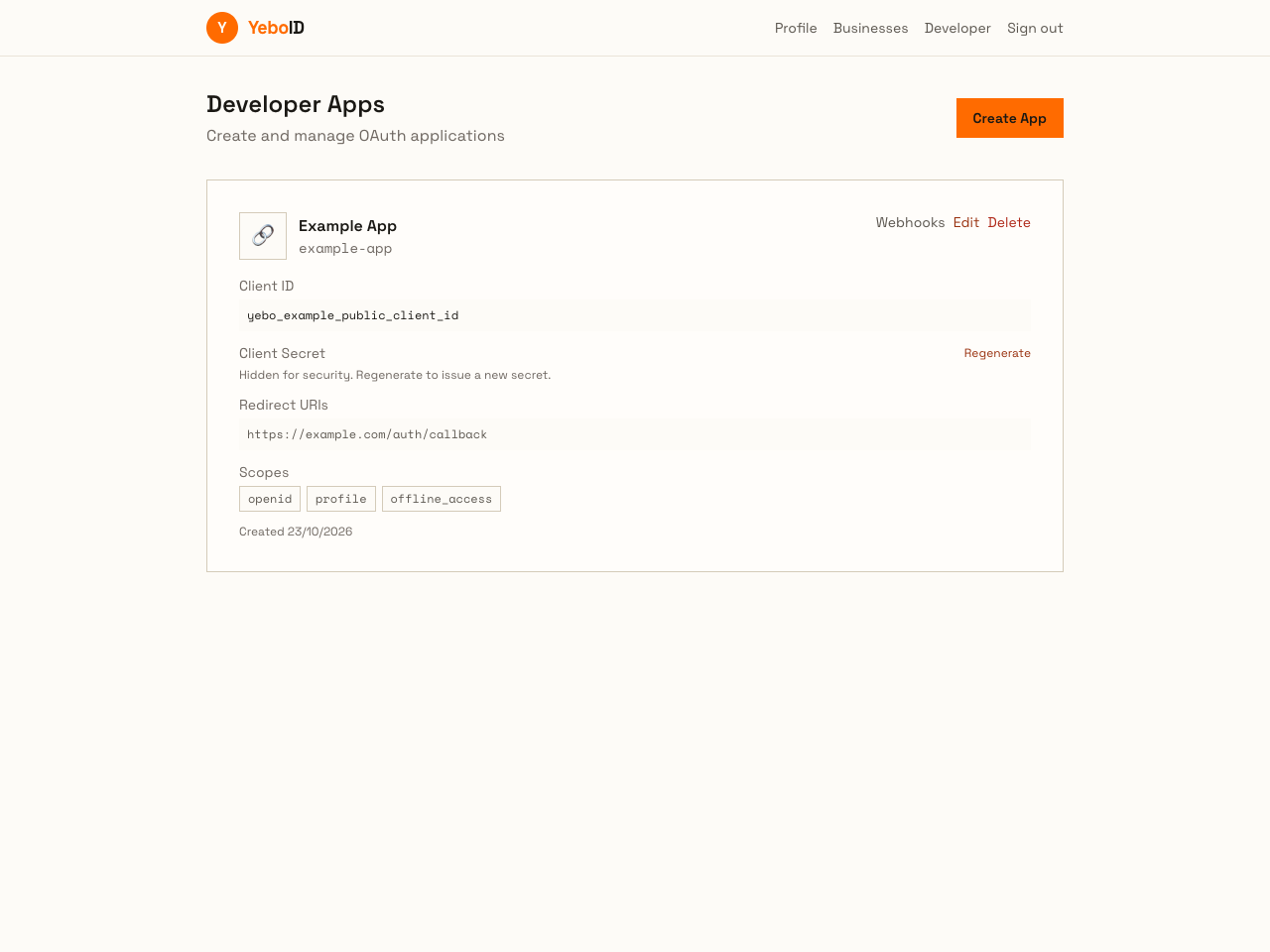
Local UI with synthetic client ID and app data; no secret is exposed.