Integrate YeboID with your AI agent
Give your coding agent this page. It can inspect the registered app, check permissions, generate an integration and test it. You stay in control of identity verification and account consent.
Select the existing stack first
Read platforms and sdk-manifest.json before choosing packages. Use Swift for Apple apps, Kotlin for native Android, React Native for React Native/Expo development builds, and Python for Python APIs or server-rendered apps. Use the existing web, Node or Flutter SDK for those stacks. Other backends can use the OAuth contract and OpenAPI.
The CLI init command below generates React + Node only. Do not run it to replace an existing native app or Python API. The native/Python SDKs check public registration before starting sign-in. Read their repository's AGENTS.md and setup guide, configure native callback routing or server sessions, then run that package's checks. llms-full.txt includes the integration guides as plain text.
One setup command
- Sign in to Developer Apps, create an app and copy its public client ID. Register
http://localhost:5173/auth/callbackfor local web development. Keepopenid profile offline_accessfor basic sign-in. - Ask your agent to run:
npx yeboid-node init \
  --client-id YOUR_CLIENT_ID \
  --redirect-uri http://localhost:5173/auth/callback \
  --output my-app
cd my-app
npm install
npm run dev- Open the local app, click Continue with YeboID, complete your login and approve the requested permissions. After returning, click Call protected API. That proves the browser and API work together.
The generated project includes a React frontend, a protected Express API, public configuration, and AGENTS.md instructions. It refuses an existing output directory. It does not need a client secret for the browser's PKCE flow.
For an existing project, install yeboid-web in the frontend and yeboid-node in the API. Ask your agent to adapt the generated example to the existing framework instead of replacing the project.
Copy this prompt
Integrate YeboID into this app. Read https://docs.yeboid.com/llms.txt
and https://docs.yeboid.com/ai-agents/ first. Reuse the existing auth and
routing structure. My public client ID is CLIENT_ID and registered callback
is CALLBACK_URL.

Run yeboid-node doctor with --json first. Fix registration/request mismatches
explicitly; never silently drop permissions. Select the implementation from
https://docs.yeboid.com/sdk-manifest.json for this project's actual stack.
The init CLI is React + Node only. Keep secrets out of browser/native code.
Store only sub as yeboid_user_id. Show all auth/dependency failures.

Verify new login, callback, a protected API request, returning login,
denial, logout, and missing-permission recovery. Report local tests,
public package versions, deployment, and actual live login separately.
Leave human identity verification and consent to me.
Check before deploying
npx yeboid-node doctor \
  --client-id YOUR_CLIENT_ID \
  --redirect-uri https://your-app.example/auth/callback \
  --scopes openid,profile,offline_access \
  --json
A nonzero exit means setup needs attention. The response lists missingScopes, issues, requestedScopes and setupUrl. This command reads public registration data; it cannot certify a live login, ownership of a domain, or successful KYC.
Use --issuer https://dev-api.yeboid.com for a client registered in the development environment. Client IDs and callbacks belong to their environment. Do not send development tokens to a production API.
Permissions without guesswork
The API, portal and both SDKs share openid profile offline_access as the default. The public catalog at /oauth/scopes defines supported scopes and presets. /oauth/clients/{clientId}/configuration returns registered callbacks and permissions without secrets or owner identity.
Every permission must be registered → requested → consented → enforced. Adding a permission requires new user consent. Token refresh cannot add permissions. kyc allows reading verification status; it does not itself require the user to be verified. openid identifies an account; it does not perform KYC. See permissions.
The browser SDK checks configuration before redirecting. It fails visibly on mismatched callbacks, missing scopes or unavailable configuration. Node's checkIntegration() provides the same check for startup or CI. Use the actual granted scope from a token response or introspection when deciding what is available. A frontend check never replaces server authorization.
Production verification
Developer identity verification and domain ownership are separate from end-user consent. Before enabling public production login, complete both in Developer Apps and supply an HTTPS website and privacy policy. Native app callbacks still require PKCE; prefer verified HTTPS app links where supported.
The verification cutover is tracked in release status. An app registration or a passing doctor command alone is not proof that the verification gate has been deployed or that the app is approved for public login.
Acceptance checks for every platform
- Registration: exact callback and requested scopes match the public configuration; mismatches/outages produce an actionable error before sign-in.
- New login and returning login: a human completes sign-in/consent, the callback reaches the host, and userinfo returns a real
sub. - Refusal/cancellation, wrong callback/state and expired/consumed codes fail visibly; no fabricated user appears.
- A product API accepts an access token for the right client and rejects ID tokens, refresh tokens, wrong audiences and insufficient scopes. Resource ownership is checked separately.
- Refresh persists the rotated token before another call. Concurrent refresh/logout cannot revive a signed-out session. Uncertain rotation/storage failures require a new login instead of replay.
- App sign-out revokes its refresh token and clears secure local/server storage after success. Browser SSO behavior is reported separately.
- Test network and storage failures. Report local tests/build, public source/package access, deployment and real-device/live login as separate evidence.
Agents using the product need a human-authorized session. YeboID does not advertise client-credentials or device-code grants; do not invent machine-login endpoints or bypass human consent.
Security boundaries for agents
- Use access tokens for API requests; never substitute an ID token.
- Keep
client_secret, tokens and signing keys out of source control, screenshots and browser variables. - Store only the stable
subasyeboid_user_idin your app's database. Fetch profile and KYC data from YeboID instead of copying them. - Check resource ownership in your own API after authentication. Scopes grant capabilities, not ownership of another user's resources.
- Local JWT verification checks signature, issuer, audience, purpose and expiry. Use introspection where you need current revocation/permission state.
- Failed API requests must produce visible errors. Do not fabricate users, default verification states or successful sessions.
- See troubleshooting for
invalid_scope,insufficient_scope, callback, PKCE and refresh errors.
Tested browser journey
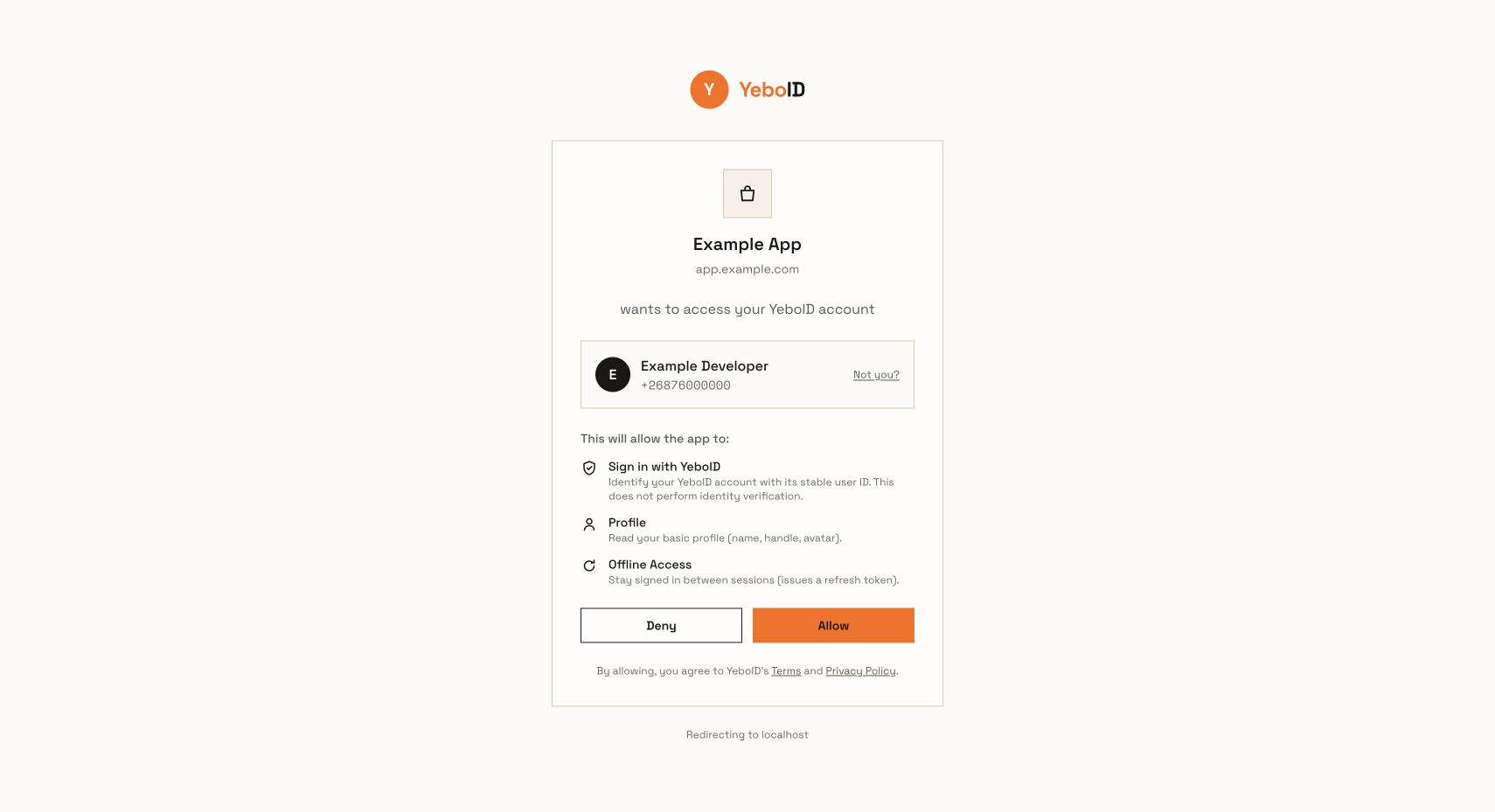
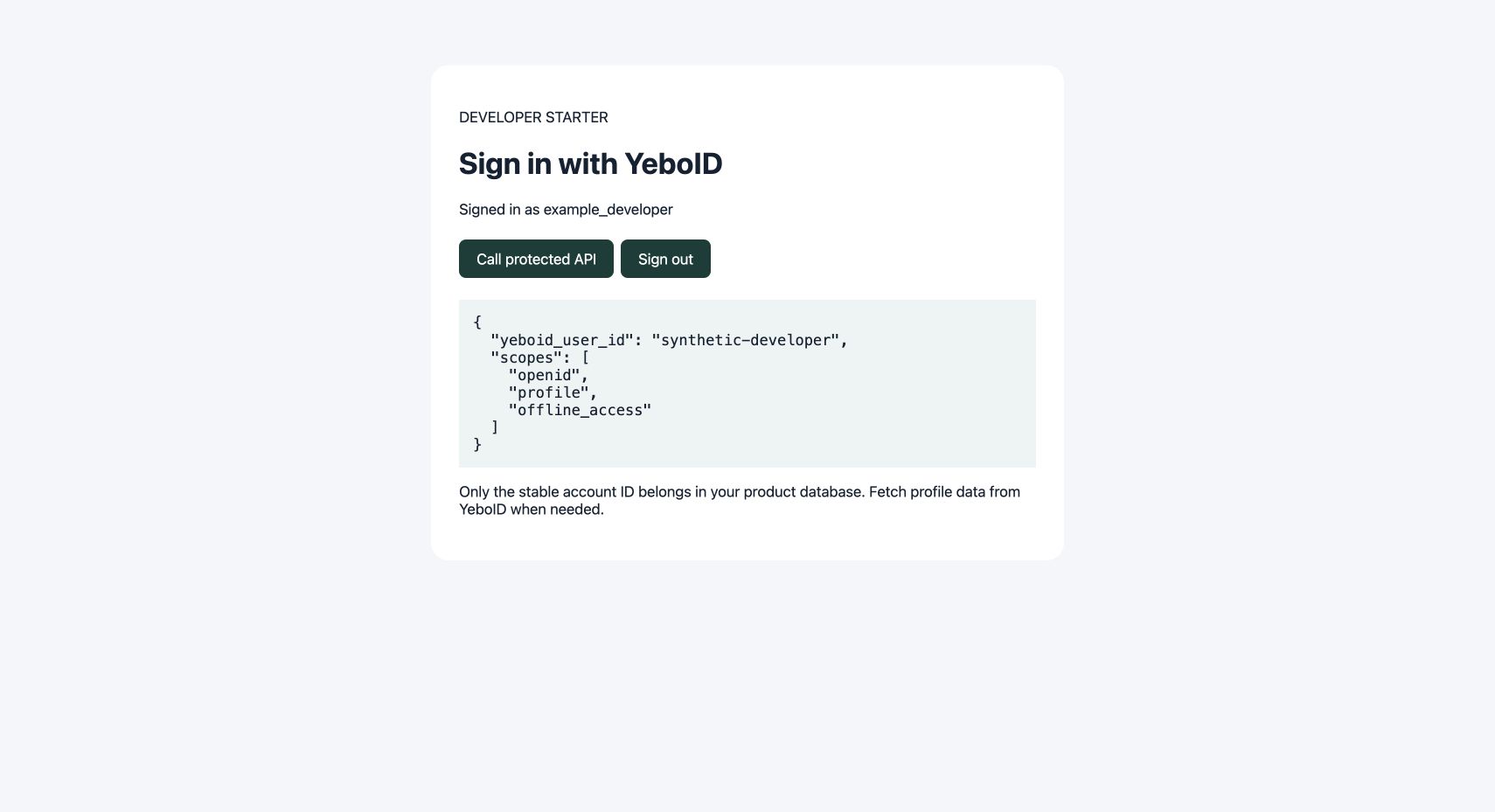
These screenshots come from a disposable synthetic account using the installed SDK tarballs, real PKCE/code exchange, the hosted consent UI and a Node API validating signed tokens. They do not certify a real person's identity or a production app's domain.
The candidate verification walkthrough covers developer KYC, exact domain proof and enabling production logins.